Step 11 of 12
Download PDFSet the NAS folder and the Mac folder
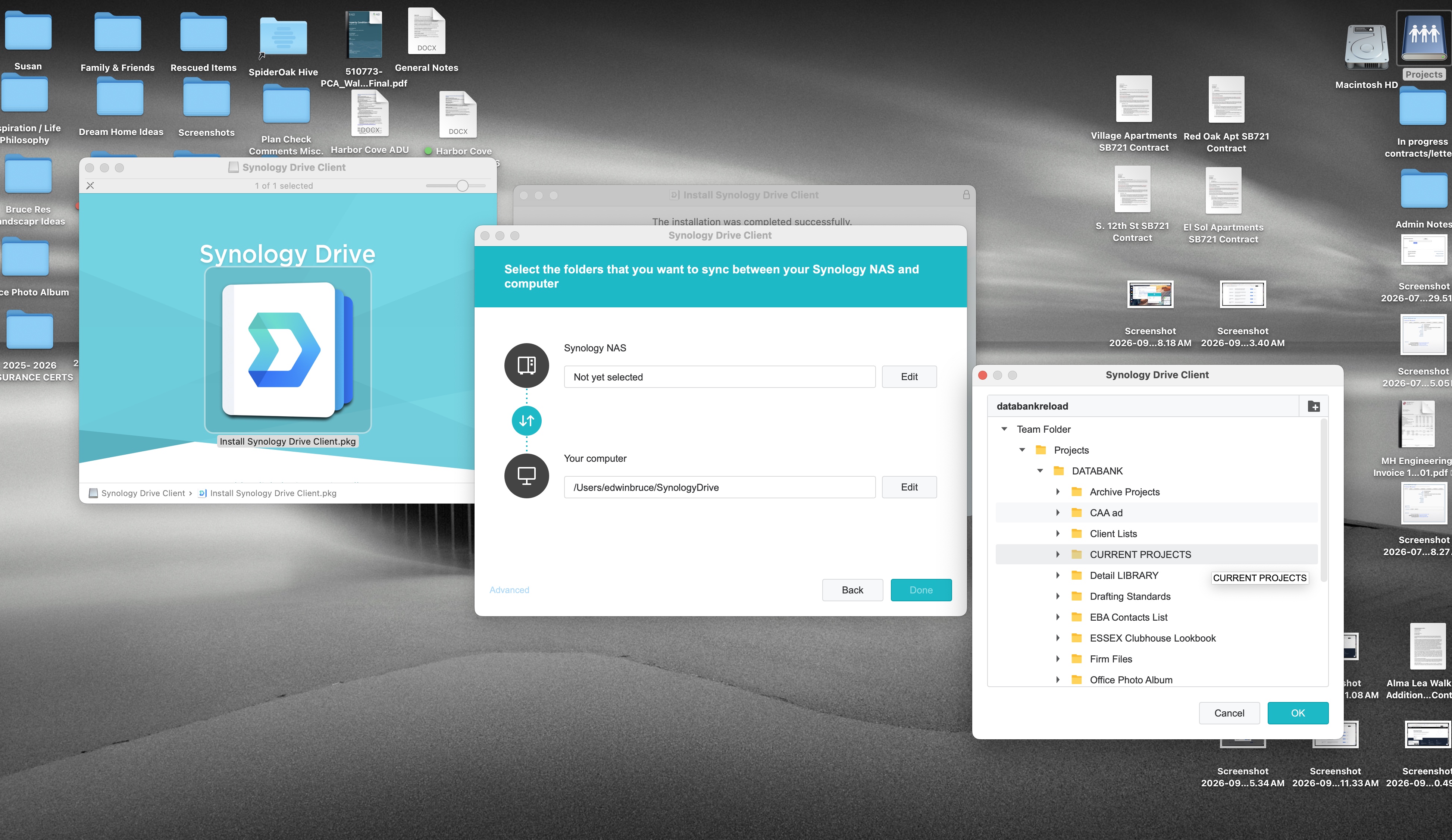
Click Edit on the Synology NAS row. Leave the Mac row on the SynologyDrive folder.
Synology NAS
The shared folder you click
Team Folder, then the one folder for this Mac.
pairs with
This Mac
SynologyDrive
A folder in your home folder.
1
2
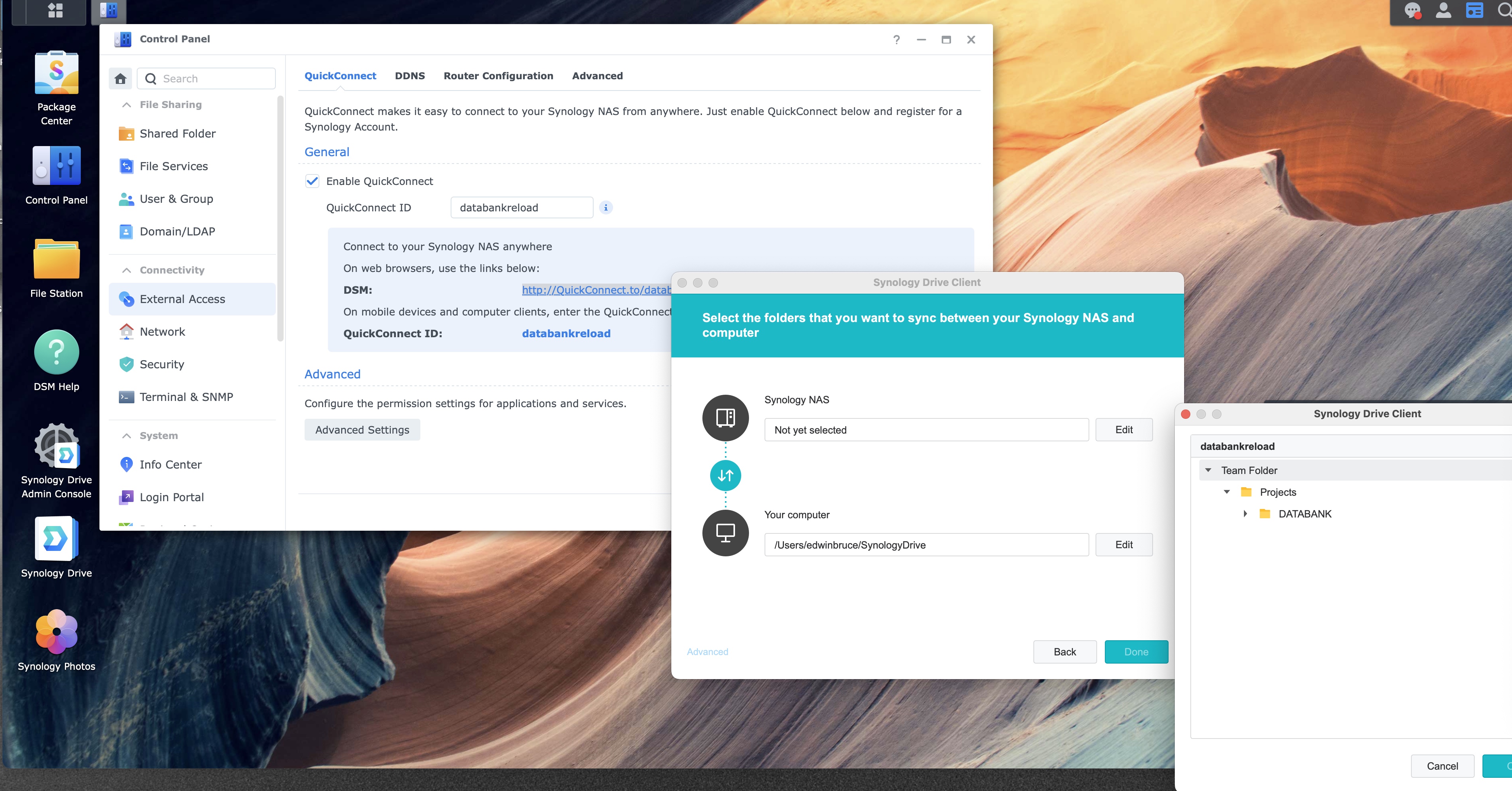
Folder wizard, NAS side still waiting, folder window open
1
2
The NAS row still says “Not yet selected.” Edit opens the shared-folder window, which is the window on the right in this picture. Team Folder is open there, with DATABANK in view.
The Mac row is the folder on this computer. On your Mac, the middle name is your home folder. Leave this path unless the files should live somewhere else.