Step 1 of 12
Download PDFChoose NAS/SAN
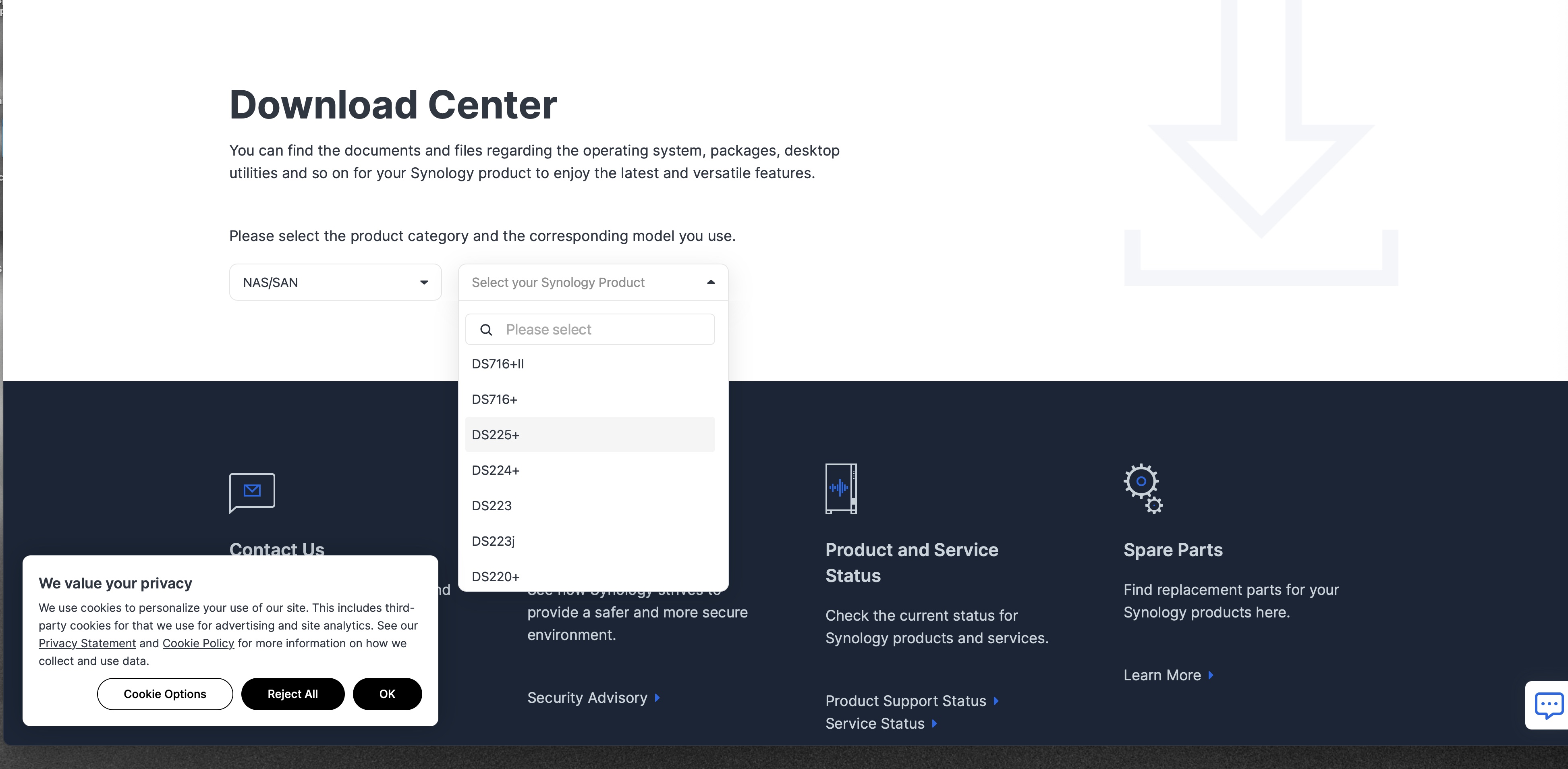
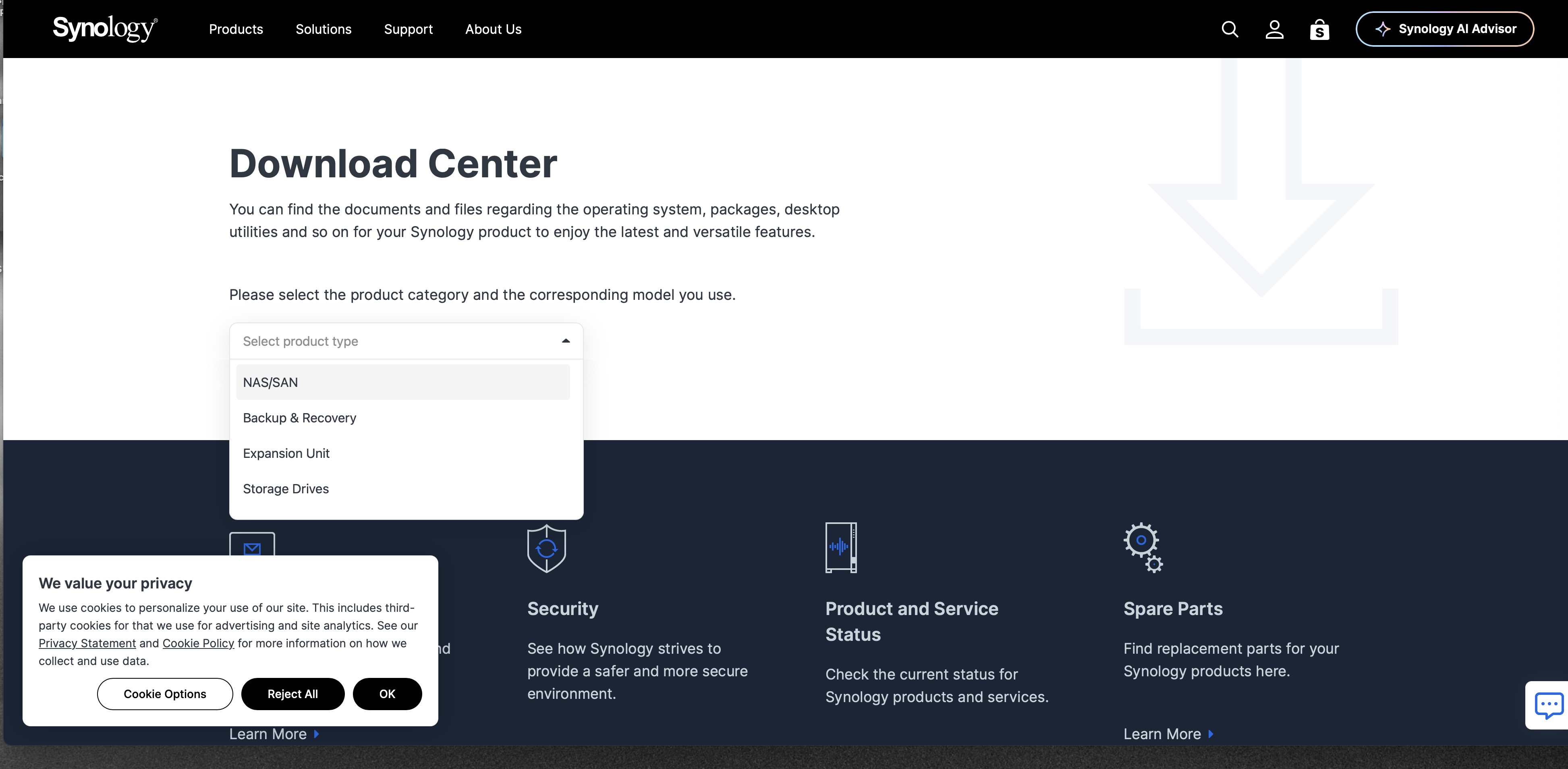
On the Download Center page, open the product type menu and click NAS/SAN.
Open the Download Center
https://www.synology.com/en-us/support/downloadThis opens in another window, so this guide stays put.
1
Download Center, product type menu open
1
Your DiskStation is a NAS, so this is the group that lists the right models and apps. The other rows are for backup hardware, expansion units, and loose drives.