Step 2 of 4
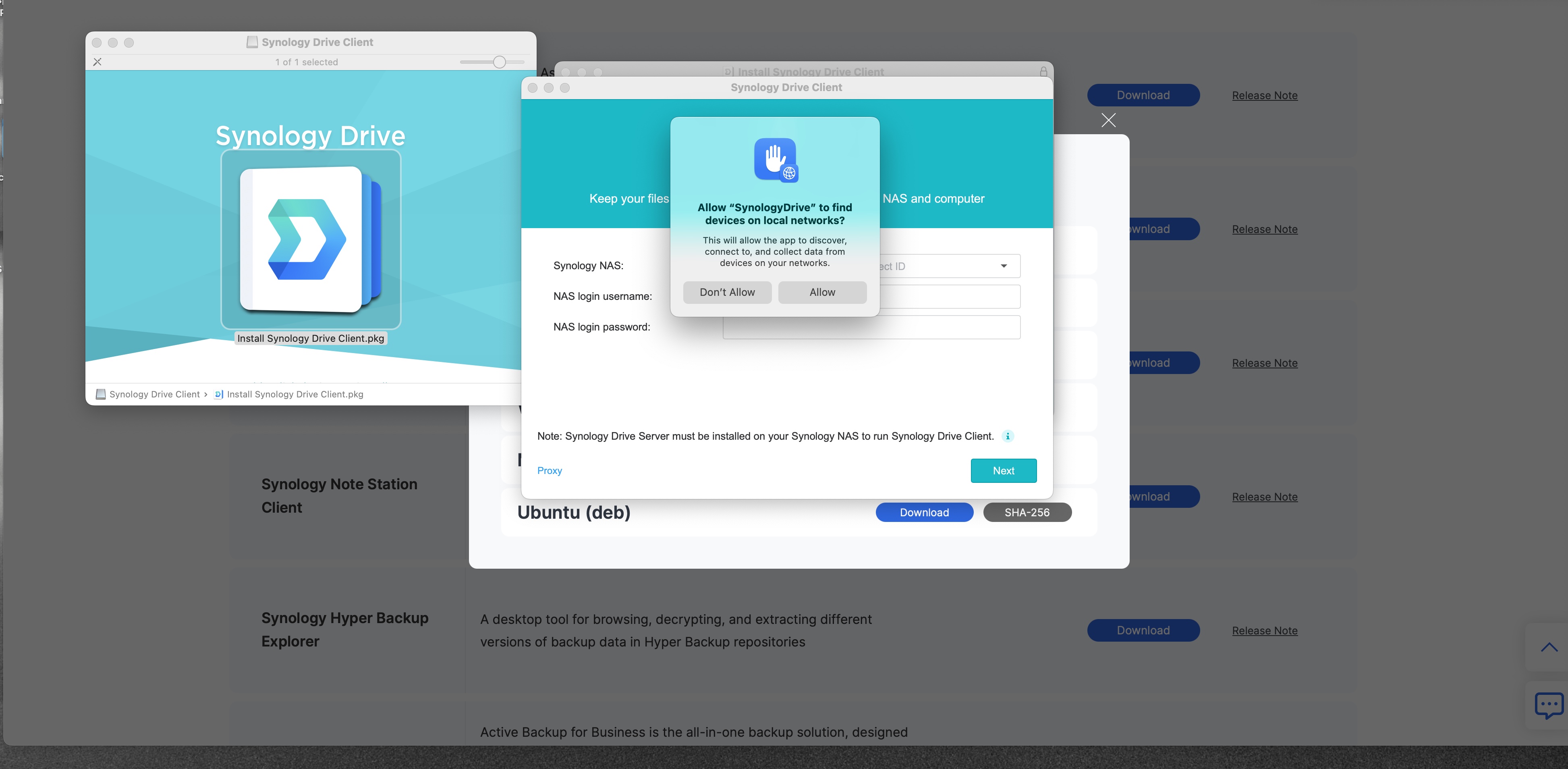
Click Allow
A small window may pop up. Click the Allow button. That lets the app find the NAS.
Look at the picture. The yellow box and arrow show where to click.
1
Click Allow
1
If no window pops up, that is okay. Go to the next step.
Step 2 of 4
A small window may pop up. Click the Allow button. That lets the app find the NAS.
Look at the picture. The yellow box and arrow show where to click.
Click Allow
If no window pops up, that is okay. Go to the next step.